
How to View Credit Logs?
Updated May 14, 2026 at 4:24 AM
Navigate to Billing from the top menu.
Open the Credit Logs tab.
You can view:
Total Credit Balance
Remaining Credits
Used Credits
Use filters to view logs by credit type:
Addons: credits purchased manually
Allocation: credits received from the subscription plan
Adjustment : credits adjusted by Super Admin
Reserves : credits reserved for Agent interactions
Consumption : credits consumed by Agent interactions
You can also filter logs for credits used by specific agents.
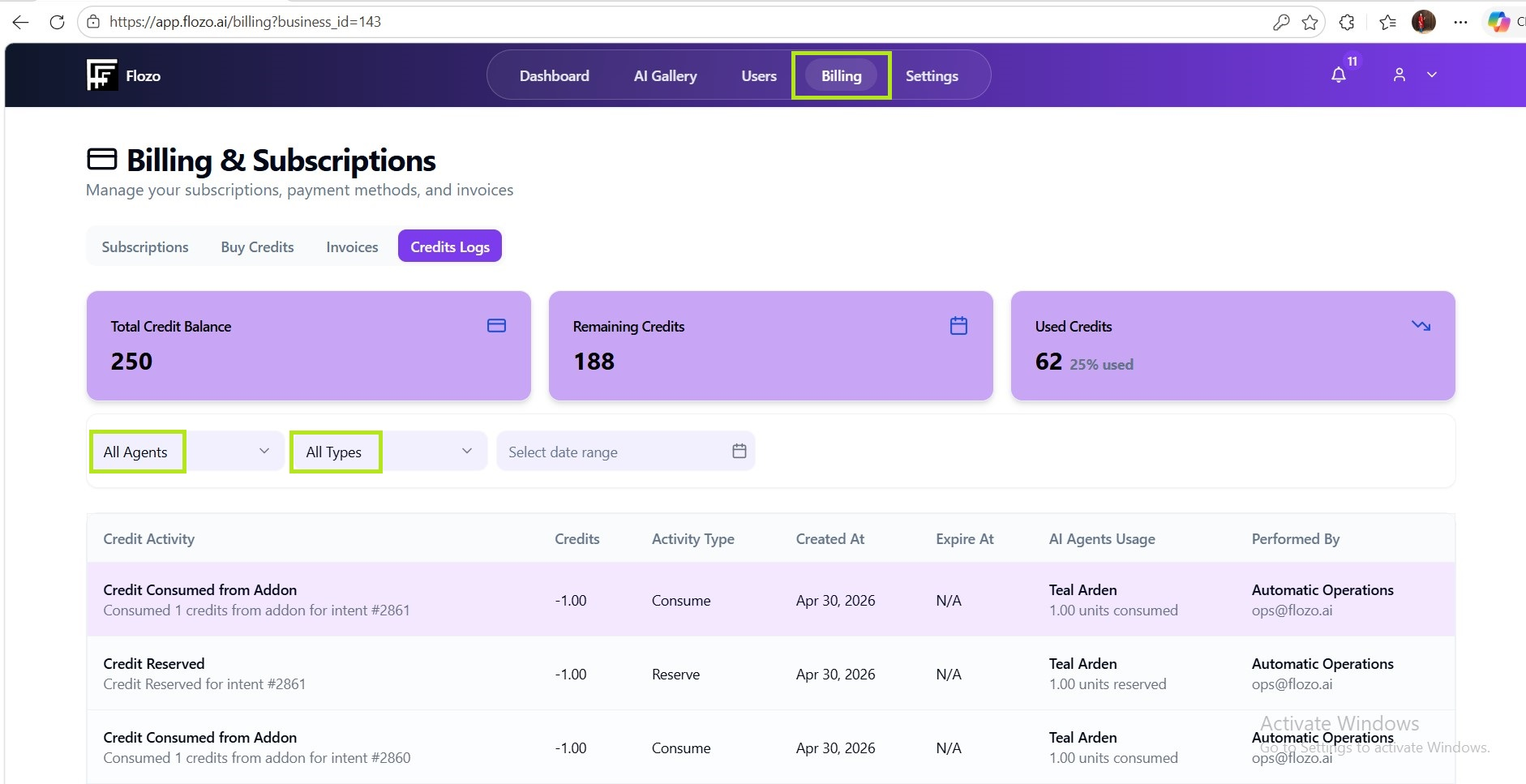
A date filter is available for narrowing down the log history.