
Flozoflozo support
KnowledgebaseSubmit a ticket
Flozo.ai Sign in
© 2026 Flozo.ai · Support Center
Flozo AISubmit TicketView TicketsPrivacy Policy
Flozo
Flozo

How to View the Created AI Agent?

Updated May 13, 2026 at 11:38 AM
  1. On the dashboard, go to the My Agents & Workflows section.

  2. All Agents you have created by spinning tools are listed here.

  3. Click the View button next to the agent you want to open.
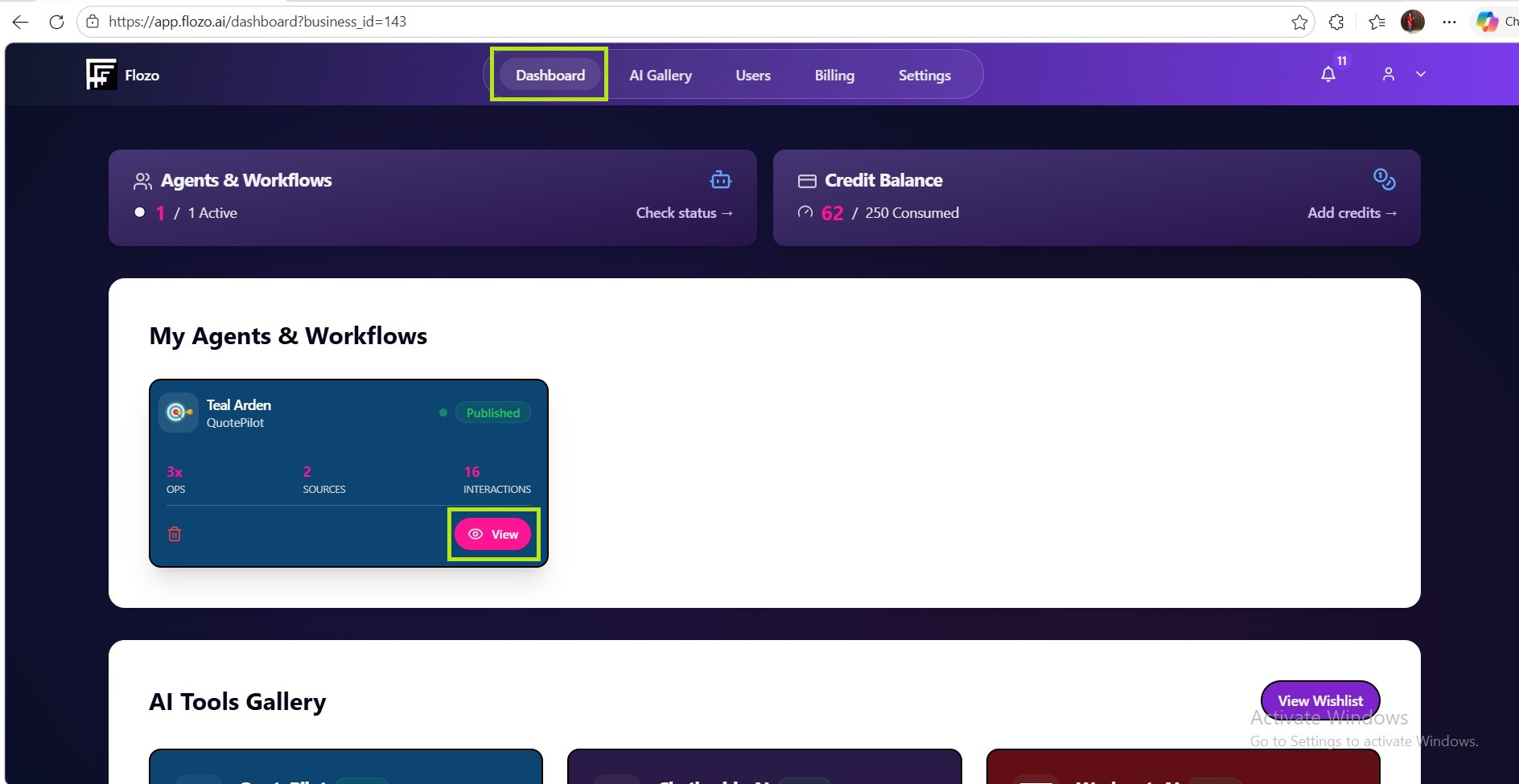
  1. You will be redirected to that agent’s dashboard.

Related Articles

  • How to Spin a Tool to Create an AI Agent?
  • How to Delete an Existing AI Agent?
  • How to Give Agent Access to a User?
  • How to View Active Subscriptions?
  • How to View Credit Logs?

Browse Categories

Flozo(19)Chatbuddy(40)QuotePilot(20)Workmate(34)

Was this article helpful? Still need help?

Submit a ticket