
How to Add a New Knowledge Resource?
Updated May 14, 2026 at 4:32 AM
From the main navigation menu, select Settings > AI Engine.
Open the Knowledge Base tab.
Choose how you want to add content:
Upload PDF: Drag and drop a PDF file or select it from your device.
Add URL: Enter the website URL to crawl its content.
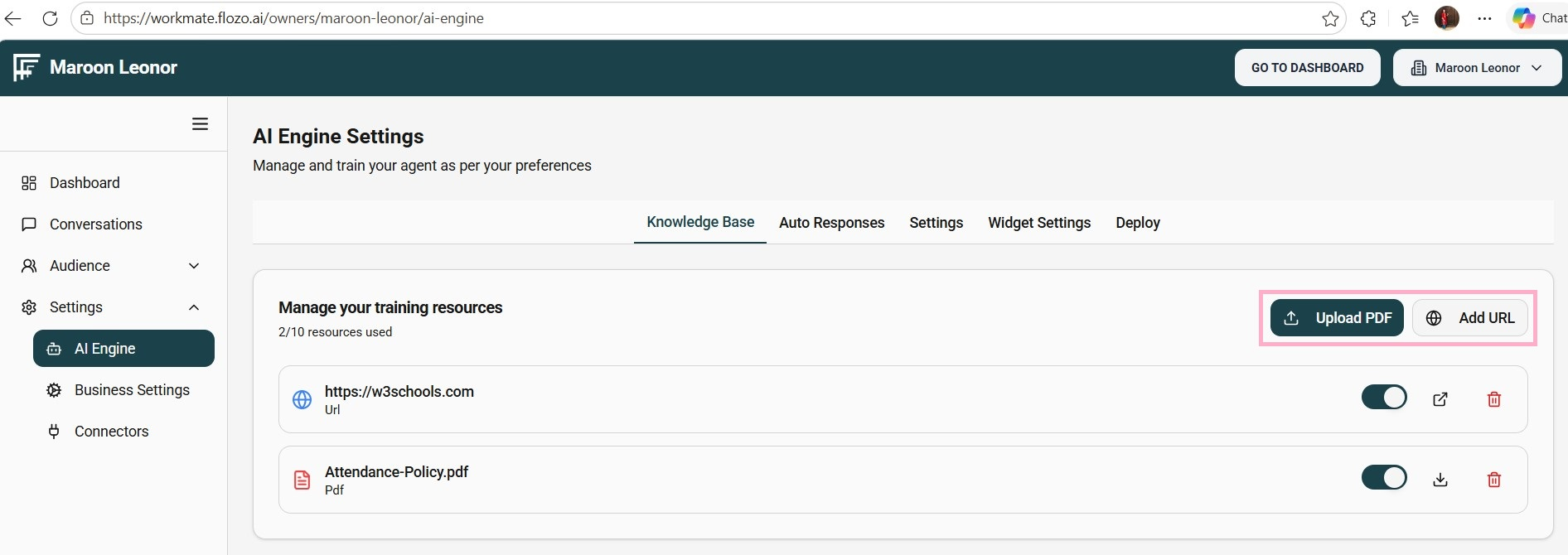
For PDF files: Click Upload PDF.
For website URLs: Click Add URL, enter the website address, and then click Crawl Website.
Once processed, the document will be added to the knowledge base list.
Note: A maximum of 10 knowledge resources can be uploaded.