
Flozoflozo support
KnowledgebaseSubmit a ticket
Flozo.ai Sign in
© 2026 Flozo.ai · Support Center
Flozo AISubmit TicketView TicketsPrivacy Policy
QuotePilot
QuotePilot

How to Add a New Resource?

Updated May 13, 2026 at 11:36 AM
  1. From the main Navigation menu, go to Add Pricing.

  2. On the Add Pricing page, click Upload PDF.
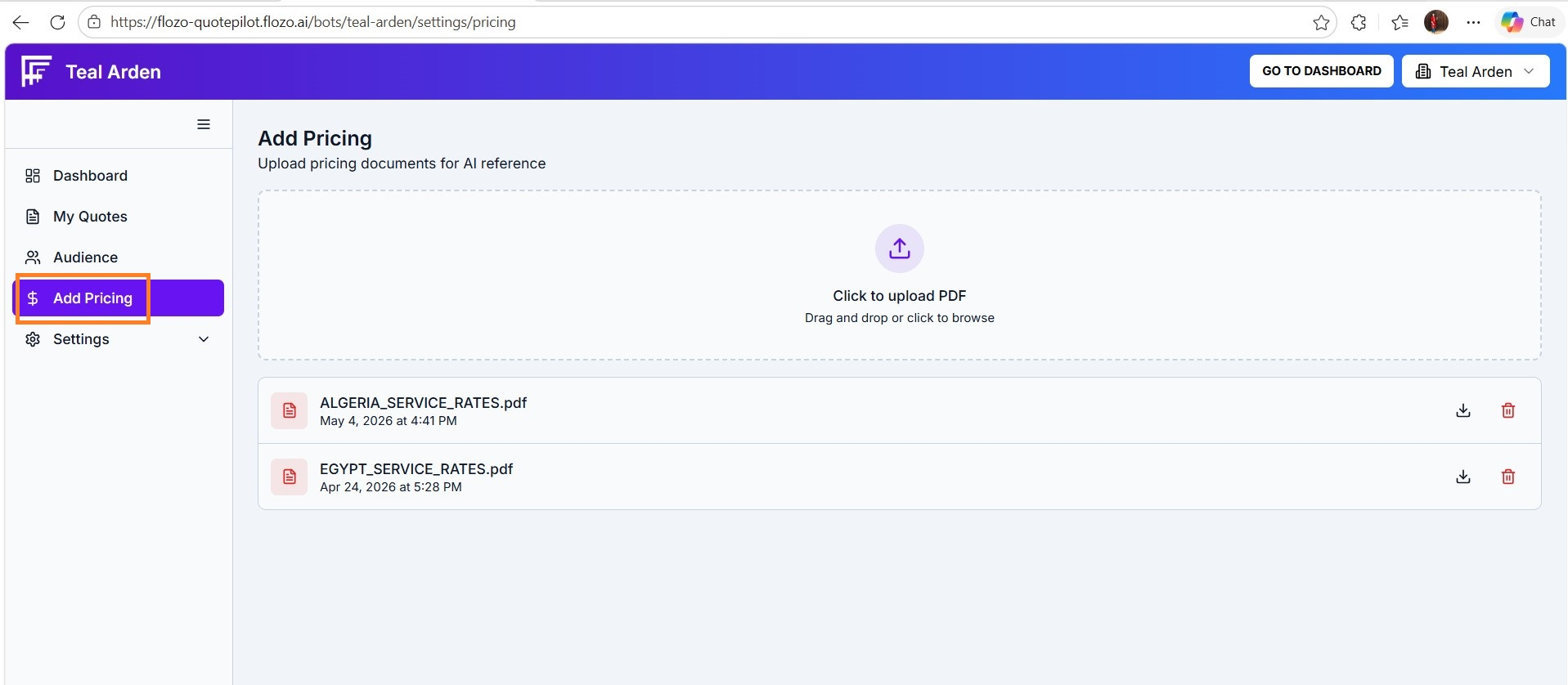
  3. Drag and drop your file into the upload area or choose it from your device.

  4. The file will be processed and added to the resource list.


Note: You can upload up to 10 PDF files in total.

Related Articles

  • How to Add a New User?
  • How to Download Uploaded Resource?
  • How to Delete a Resource?
  • How to Generate a New Quote?
  • How to Add Business Information?

Browse Categories

Flozo(19)Chatbuddy(40)QuotePilot(20)Workmate(34)

Was this article helpful? Still need help?

Submit a ticket