
How to Disable Active Integrations?
Updated May 14, 2026 at 4:34 AM
From the main navigation menu, select Settings > AI Engine.
Open the Deploy tab.
In the Activated Integrations section, review the list of connected channels (e.g., WhatsApp, Slack).
For any channel you want to disable, toggle its status from Active to Inactive.
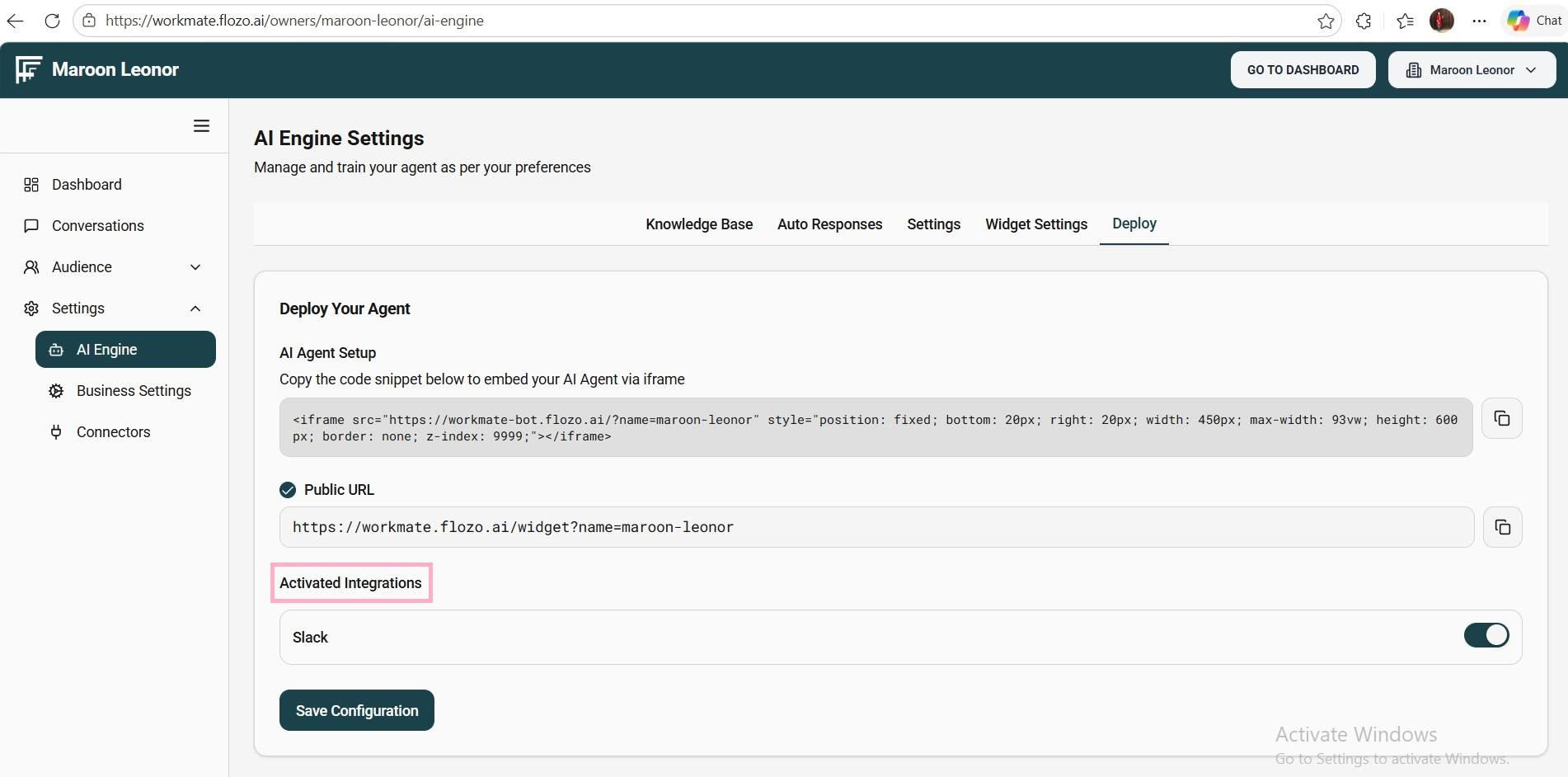
Click Save Configuration.
Note: Once disabled, users will not be able to chat with the Agent through that specific channel.