
How to View Web Chats in Workmate?
Updated May 13, 2026 at 11:25 AM
From the main navigation menu, go to Conversations.
In the channel dropdown, select Web Chat.
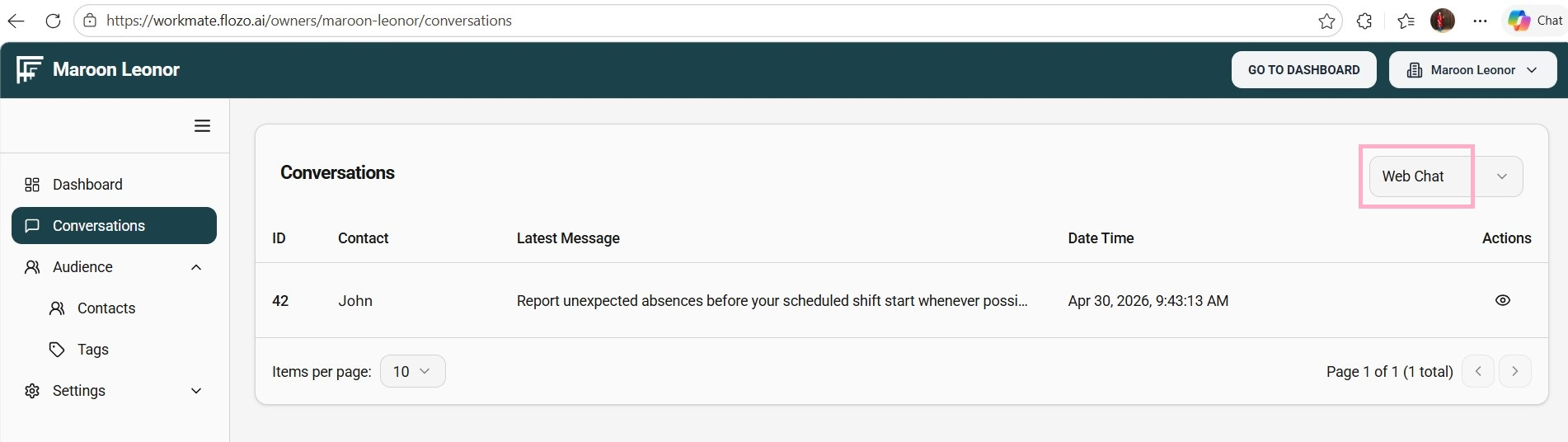
Web chat conversations will be listed with details such as ID, Sender Name, Latest Message, Date & Time, and an Eye icon in the Actions column.
Click the Eye icon next to the desired conversation.
The full web chat conversation will open for review.