
Flozoflozo support
KnowledgebaseSubmit a ticket
Flozo.ai Sign in
© 2026 Flozo.ai · Support Center
Flozo AISubmit TicketView TicketsPrivacy Policy
Chatbuddy
Chatbuddy

How to Add Business Information?

Updated May 14, 2026 at 5:00 AM
  1. From the main navigation menu, go to AI Automations > AI Source.

  2. Choose one of the following options:

  • Website Link: Enter your business website URL.

  • Upload Document: Upload a .txt or .pdf file.

  • Text Editor: Type or paste your business information directly.
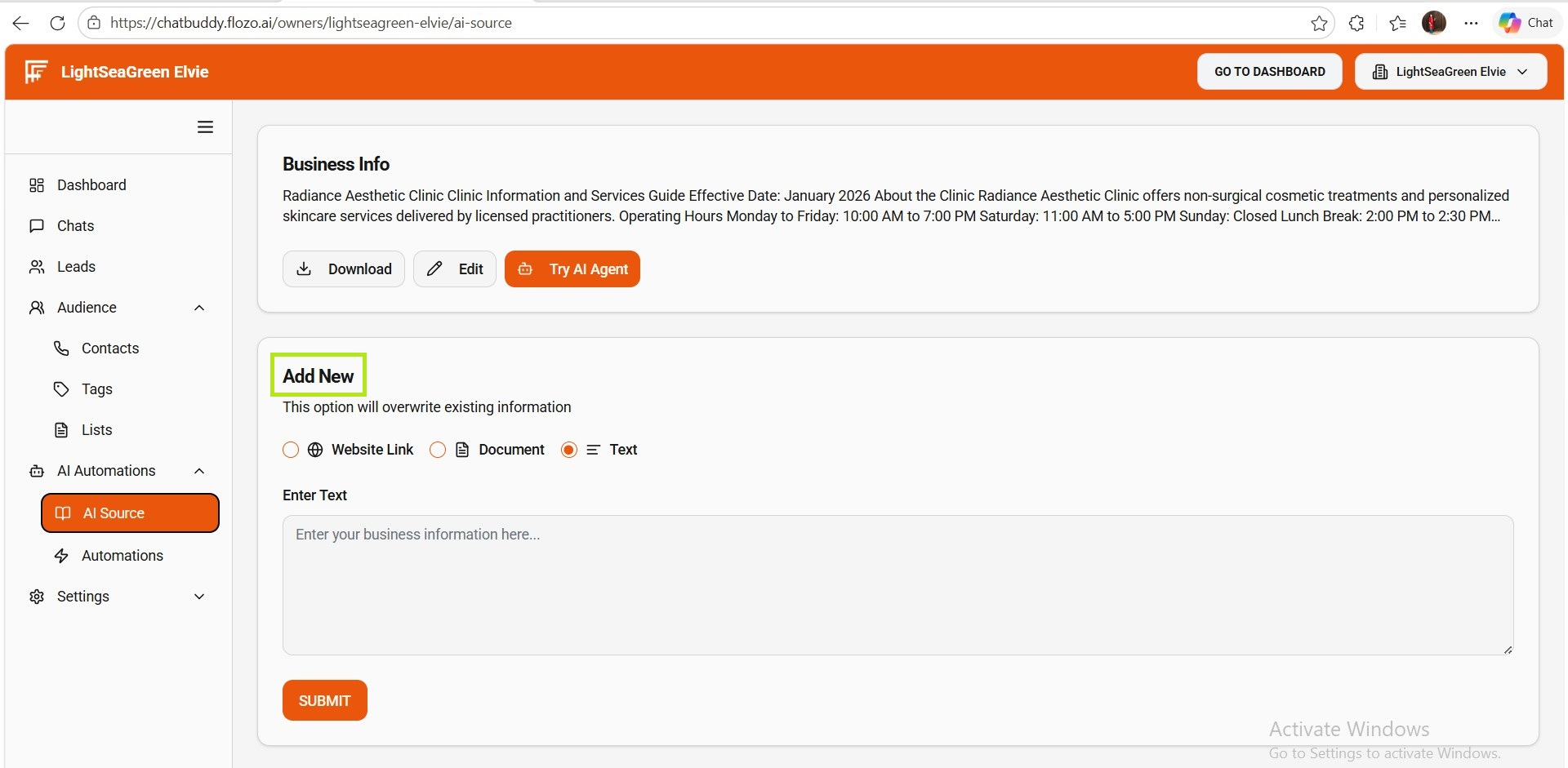
  1. Click Submit.

  2. A success message confirms that the business information has been saved.

Note: You can use these same options anytime to overwrite and update the existing business information.

Related Articles

  • How to Register a Business on Flozo?
  • How to Access the Business Owner Dashboard?
  • How to get more information about a Tool?
  • How to Add a New User?
  • How to Update a Business Name?

Browse Categories

Flozo(19)Chatbuddy(40)QuotePilot(20)Workmate(34)

Was this article helpful? Still need help?

Submit a ticket