
Flozoflozo support
KnowledgebaseSubmit a ticket
Flozo.ai Sign in
© 2026 Flozo.ai · Support Center
Flozo AISubmit TicketView TicketsPrivacy Policy
Flozo
Flozo

How to get more information about a Tool?

Updated May 13, 2026 at 11:39 AM
  1. In the AI Tools Gallery, all tools are listed.

  2. Click the Learn More button next to the desired tool.
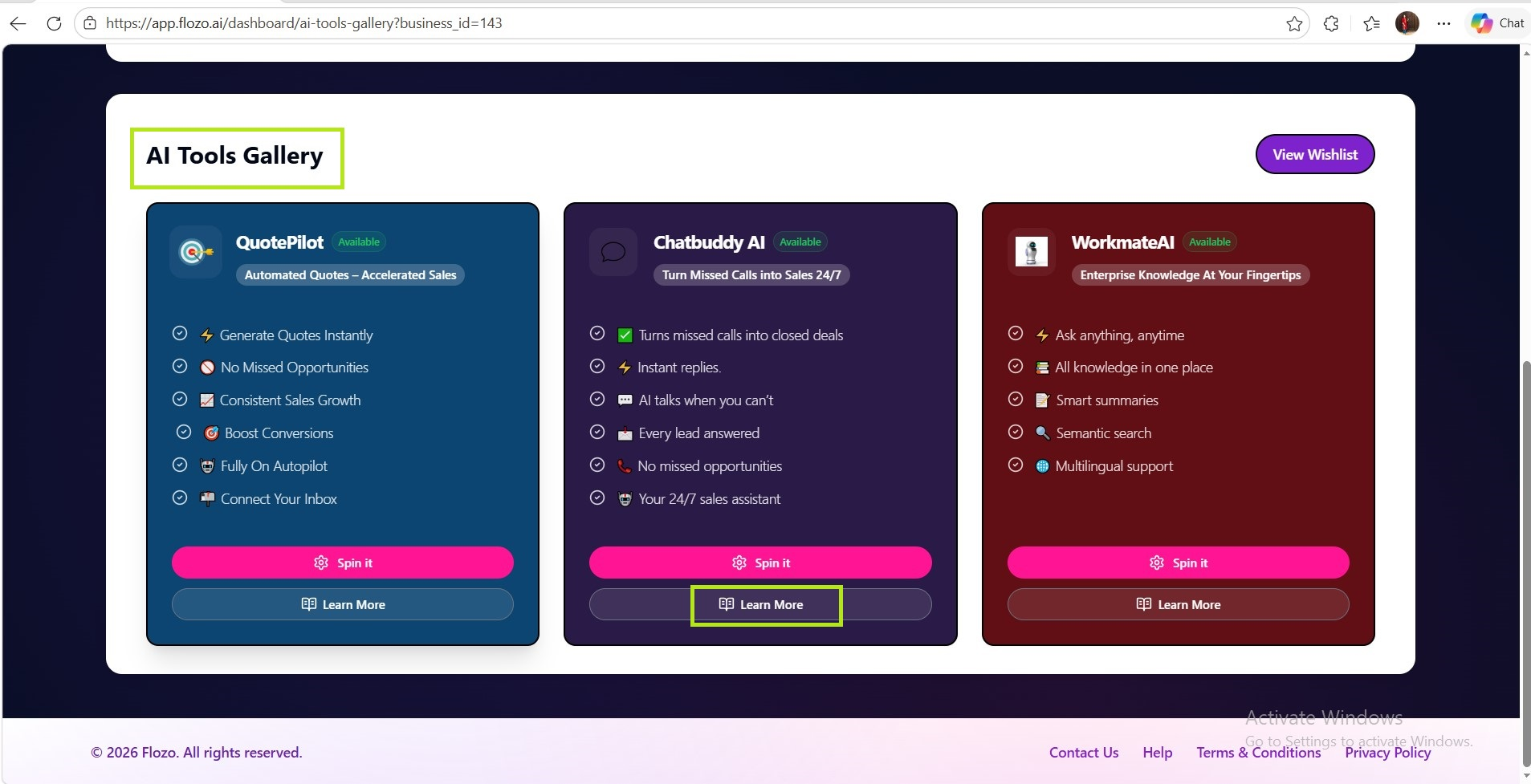
You will be redirected to the tool’s information page (its URL is configured in Admin settings when the tool is created).

Related Articles

  • How to Spin a Tool to Create an AI Agent?
  • How to Add Business Information?
  • How to Download Business Information?
  • How to Update Business Information?
  • How to Configure Web Widget’s Appearance & Behavior?

Browse Categories

Flozo(19)Chatbuddy(40)QuotePilot(20)Workmate(34)

Was this article helpful? Still need help?

Submit a ticket