
Flozoflozo support
KnowledgebaseSubmit a ticket
Flozo.ai Sign in
© 2026 Flozo.ai · Support Center
Flozo AISubmit TicketView TicketsPrivacy Policy
Flozo
Flozo

How to Give Agent Access to a User?

Updated May 13, 2026 at 11:40 AM
  1. Go to Users from the main navigation menu.

  2. In the Access column, click Manage next to the desired member.
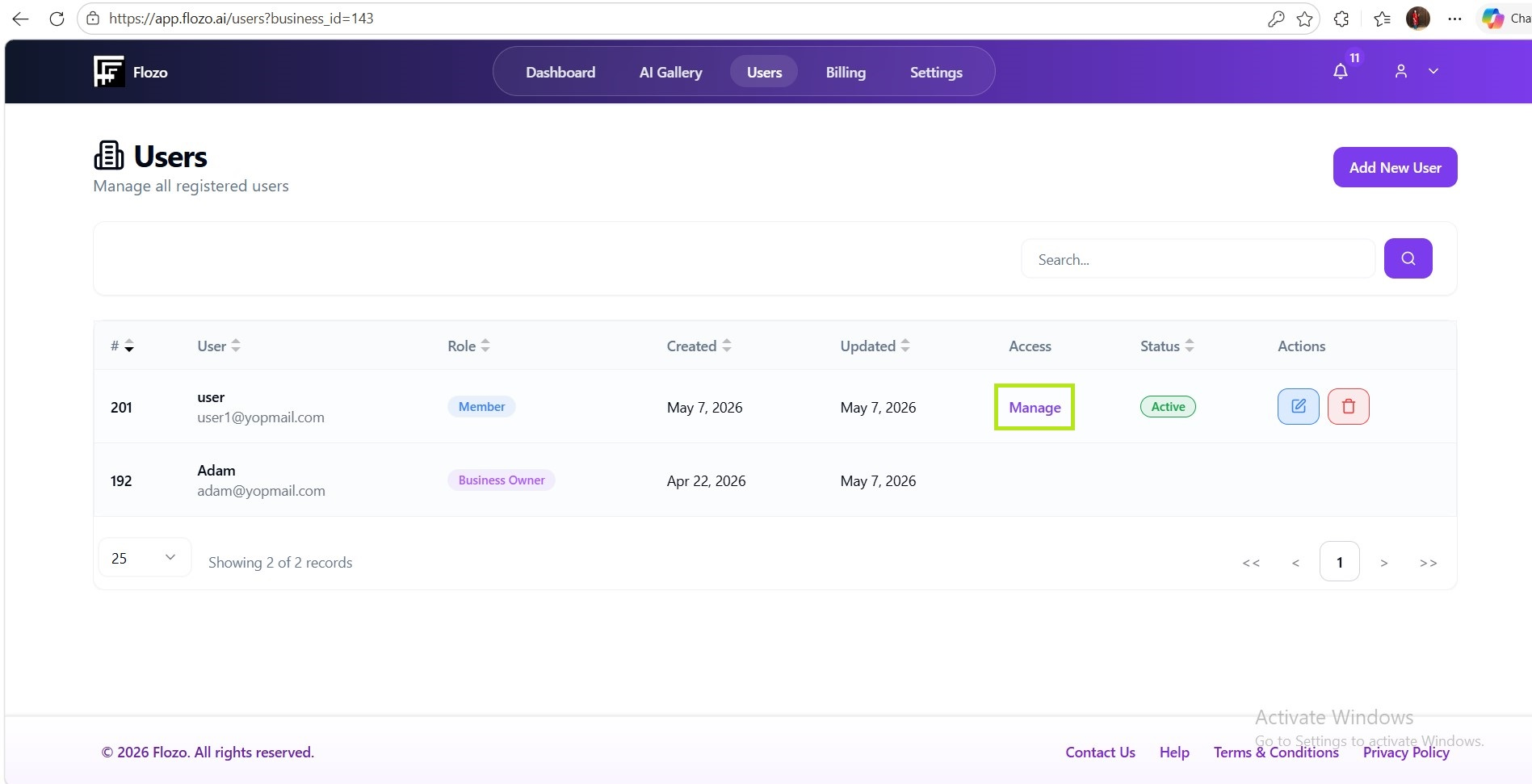
  1. A list of available agents will appear.

  2. Select the agent(s) you want to assign to that member.

  3. Click Save Changes.

Note: The assigned agents will now appear in the member’s dashboard under the Agents & Workflows section.

Related Articles

  • How to Access the Business Owner Dashboard?
  • How to Spin a Tool to Create an AI Agent?
  • How to View the Created AI Agent?
  • How to Delete an Existing AI Agent?
  • How to Add a New User?

Browse Categories

Flozo(19)Chatbuddy(40)QuotePilot(20)Workmate(34)

Was this article helpful? Still need help?

Submit a ticket