
How to Add a New Auto Response?
Updated May 14, 2026 at 4:35 AM
From the main navigation menu, select Settings > AI Engine.
Open the Auto Responses tab.
Click +Add New Response.
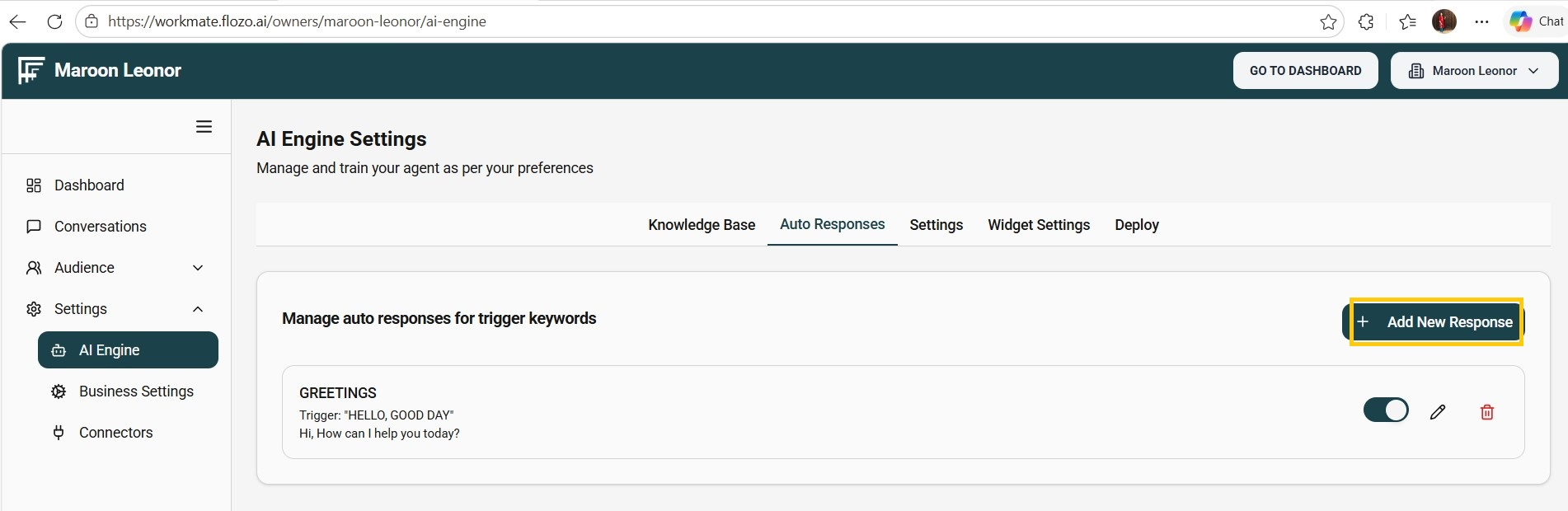
In the modal, fill in the required fields:
Label – A name for the auto response.
Trigger – Word(s) or phrase(s) that will activate this response.
Response – The message that will be sent to the user.
Click Save.
Note:
The new auto response will be applied to Web chat, AI Agent chat, and integrated channels. When a user enters a matching trigger or similar text, the automatic response will be sent.
Newly added auto responses are active by default.