
How to Add a New Tag?
Updated May 14, 2026 at 5:03 AM
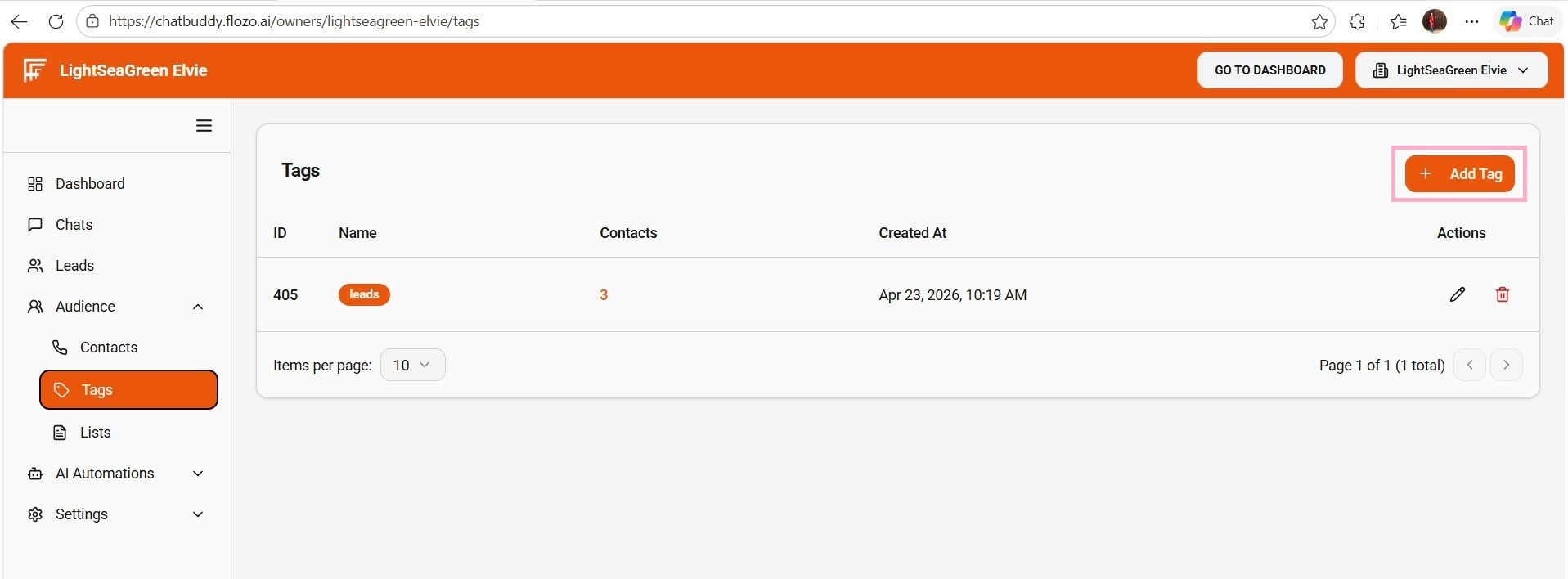
From the main navigation menu, select Audience > Tags.
Click the + Add Tag button.
Enter the Tag Name.
Click Create.
The tag will be added to the tags list.
Note: When a contact fulfills certain criteria during conversations and is qualified as a lead, a “Leads” tag is automatically assigned and added to this list.