
Flozoflozo support
KnowledgebaseSubmit a ticket
Flozo.ai Sign in
© 2026 Flozo.ai · Support Center
Flozo AISubmit TicketView TicketsPrivacy Policy
Flozo
Flozo

How to Register a Business on Flozo?

Updated May 14, 2026 at 6:13 AM
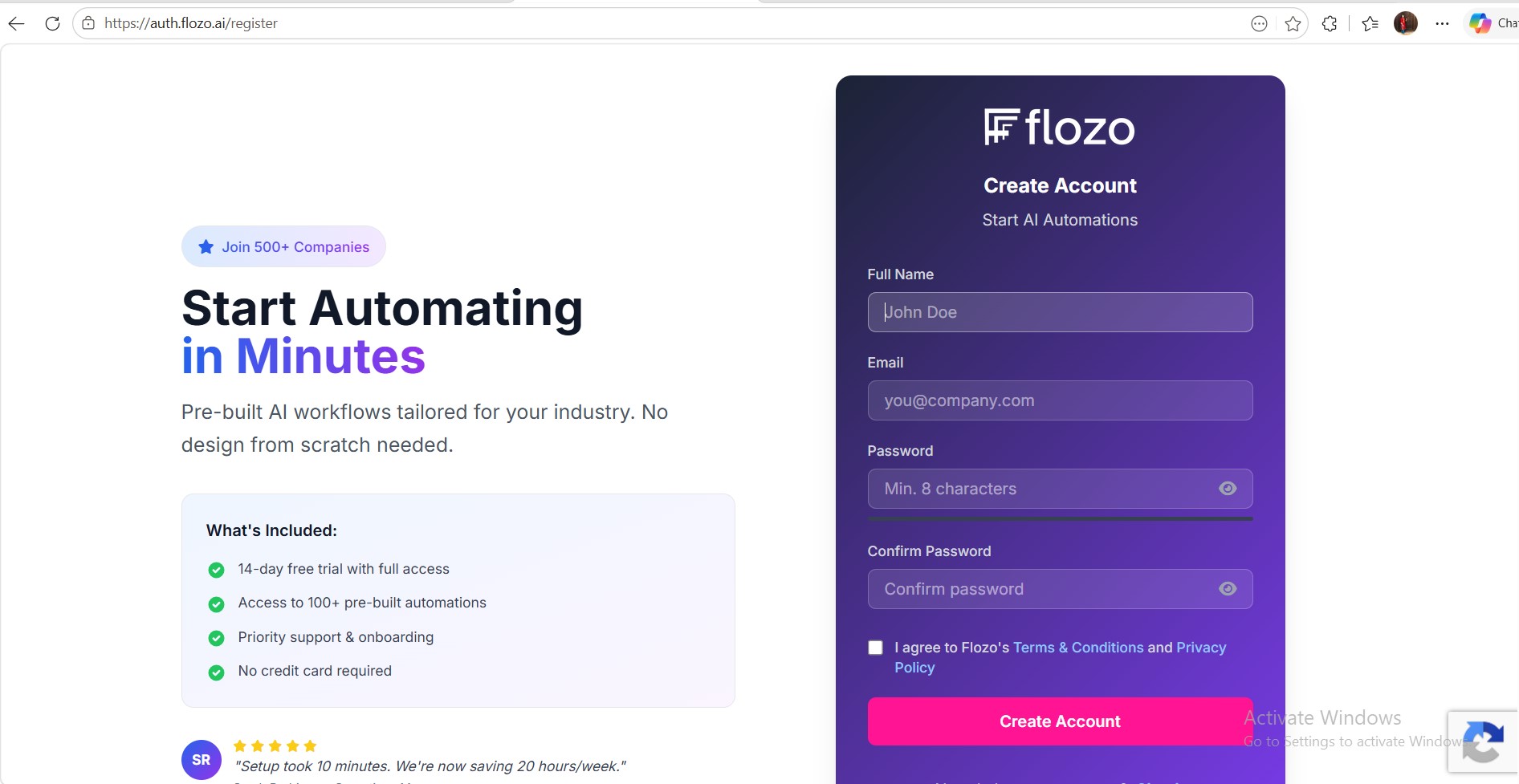
  1. Open the Flozo URL in your browser to access the registration page.

  2. On the registration page, fill in the following fields:

  • User Name

  • User Email

  • Password

  • Confirm Password

  1. Click Register to create your account.
  1. Check your email inbox for the verification email.

  2. Click the Verify Email link to confirm your email address and activate your business account.


Note: A free plan is automatically activated for every newly created business.

Related Articles

  • How to Access the Business Owner Dashboard?
  • How to Update a Business Name?
  • How to Upload Business Logo?
  • How to Deactivate a Business?
  • How to Update Business Owner Profile?

Browse Categories

Flozo(19)Chatbuddy(40)QuotePilot(20)Workmate(34)

Was this article helpful? Still need help?

Submit a ticket