
How to Change Status for Auto Response?
Updated May 14, 2026 at 4:36 AM
From the main navigation menu, select Settings > AI Engine.
Navigate to the Auto Responses tab.
Locate the auto response you want to update.
Use the Status toggle to activate or deactivate it.
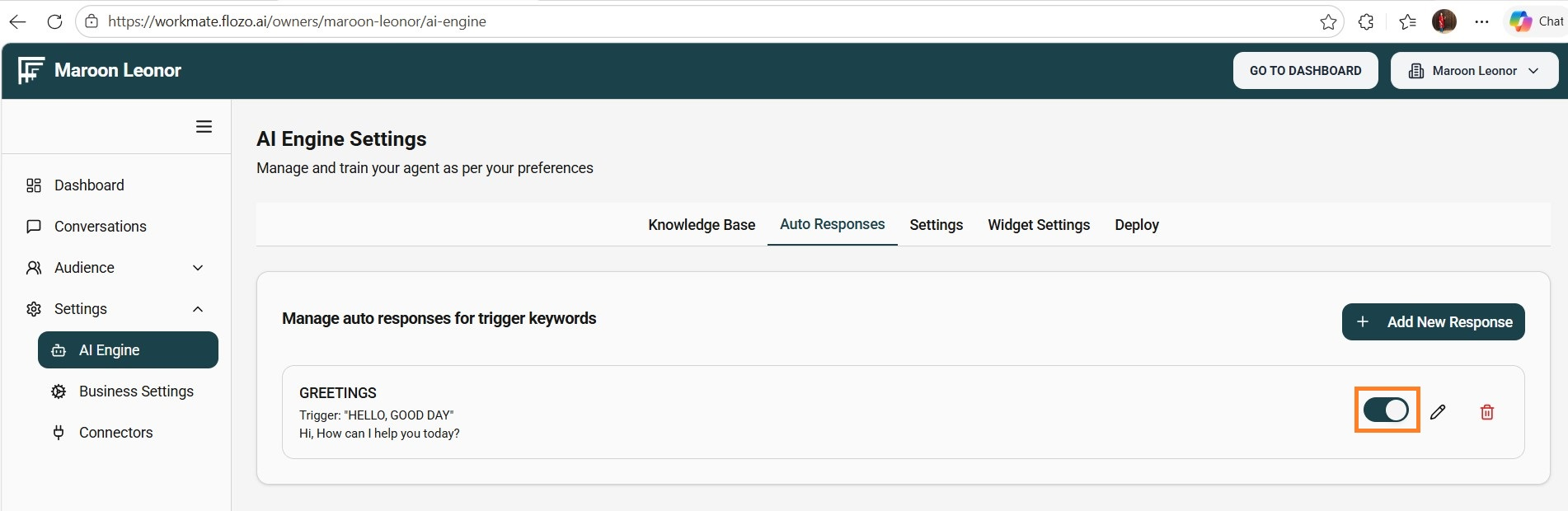
The status change will be applied immediately.
Note: AI Agents on Slack, Webchat, and Try AI Agent will only use active Auto Responses.