
How to Delete a Contact?
Updated May 13, 2026 at 8:56 AM
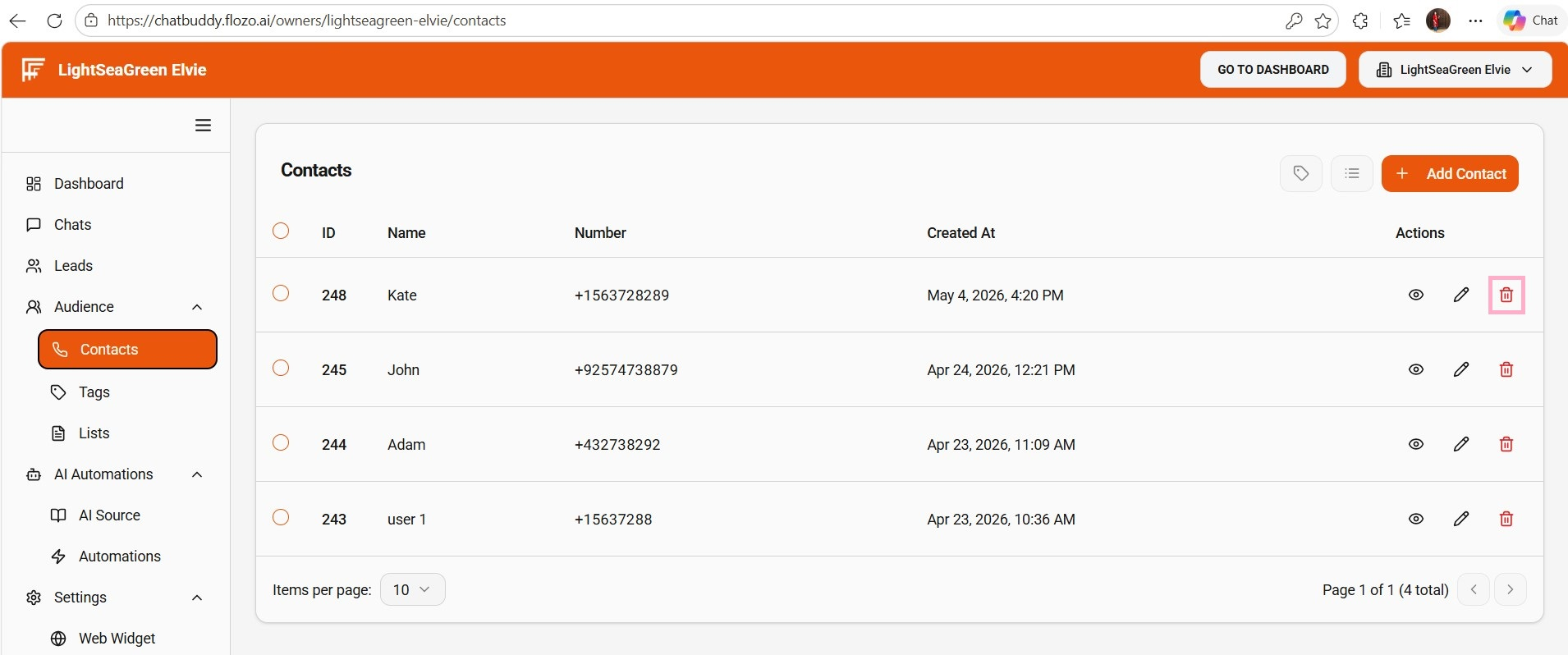
From the main navigation menu, select Audience > Contacts.
All contacts are listed on this page.
In the Actions column, click the Delete (Bin) icon for the contact you want to remove.
Confirm the deletion in the confirmation prompt.
The contact will be deleted from the list.