
Flozoflozo support
KnowledgebaseSubmit a ticket
Flozo.ai Sign in
© 2026 Flozo.ai · Support Center
Flozo AISubmit TicketView TicketsPrivacy Policy
Workmate
Workmate

How to Update Agent Status in Workmate?

Updated May 14, 2026 at 4:34 AM
  1. On the Dashboard, locate the Agent Status Toggle in the top-right corner.

  2. Use the toggle to switch the agent between Draft and Published status.
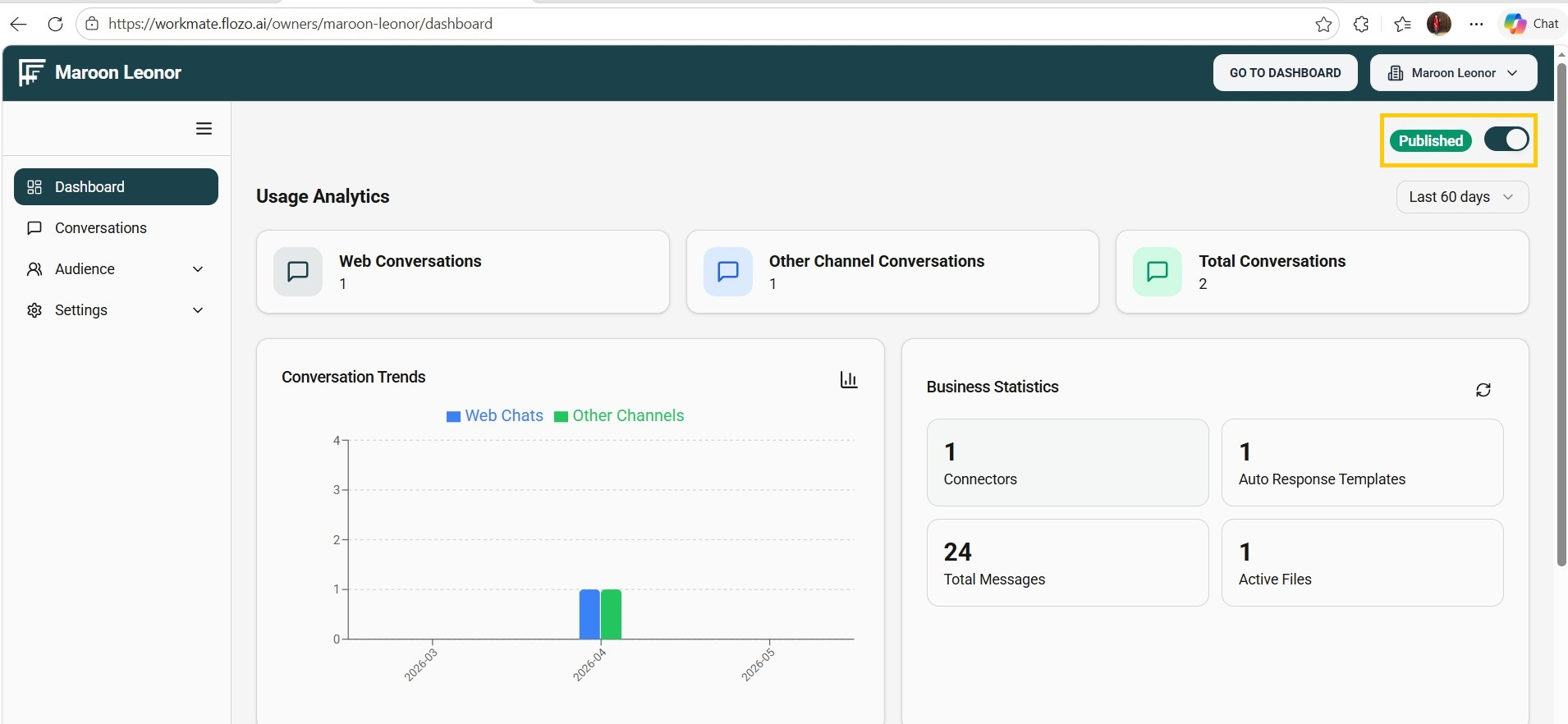
  3. The agent can only be published once all required setup checklist steps are completed.

Note: The Webchat and Slack Bot features are available only when the agent is in the Published state.

Related Articles

  • How to Spin a Tool to Create an AI Agent?
  • How to View the Created AI Agent?
  • How to Delete an Existing AI Agent?
  • How to Give Agent Access to a User?
  • How to Update a Business Name?

Browse Categories

Flozo(19)Chatbuddy(40)QuotePilot(20)Workmate(34)

Was this article helpful? Still need help?

Submit a ticket