
How to Access the QuotePilot's Agent Dashboard?
Updated May 14, 2026 at 4:55 AM
Open the Flozo URL in your browser.
Login using your Business Owner or Member credentials.
From the dashboard, go to the My Agents & Workflows section.
Locate the desired Quotepilot’s agent.
Click the View button next to the agent.
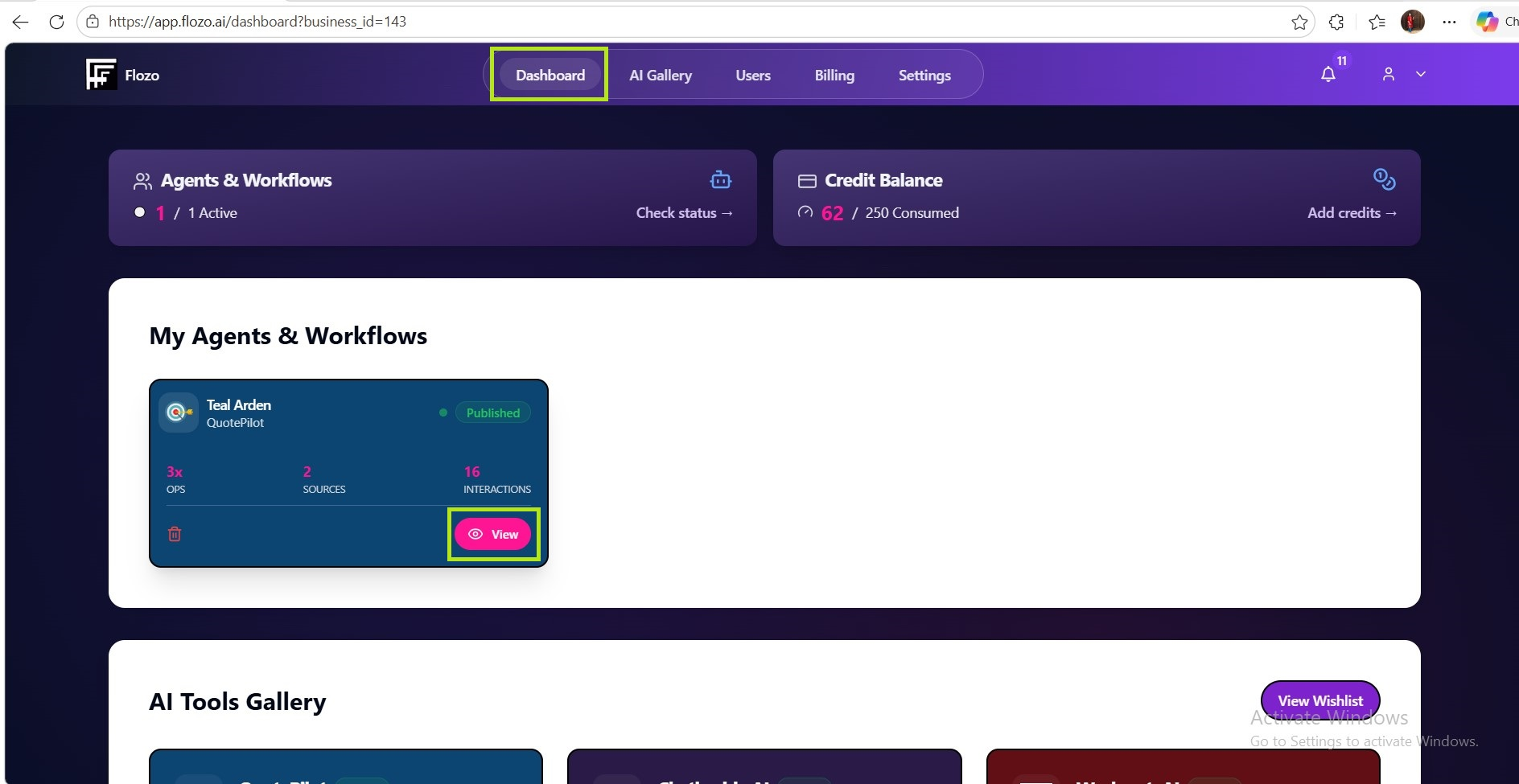
You will be redirected to the Agent Dashboard.
Note: Only authorized users can access the dashboard.