
Flozoflozo support
KnowledgebaseSubmit a ticket
Flozo.ai Sign in
© 2026 Flozo.ai · Support Center
Flozo AISubmit TicketView TicketsPrivacy Policy
Flozo
Flozo

How to Deactivate a Business?

Updated May 13, 2026 at 11:43 AM
  1. From the top menu, go to Settings.

  2. Click the Deactivate Business button.
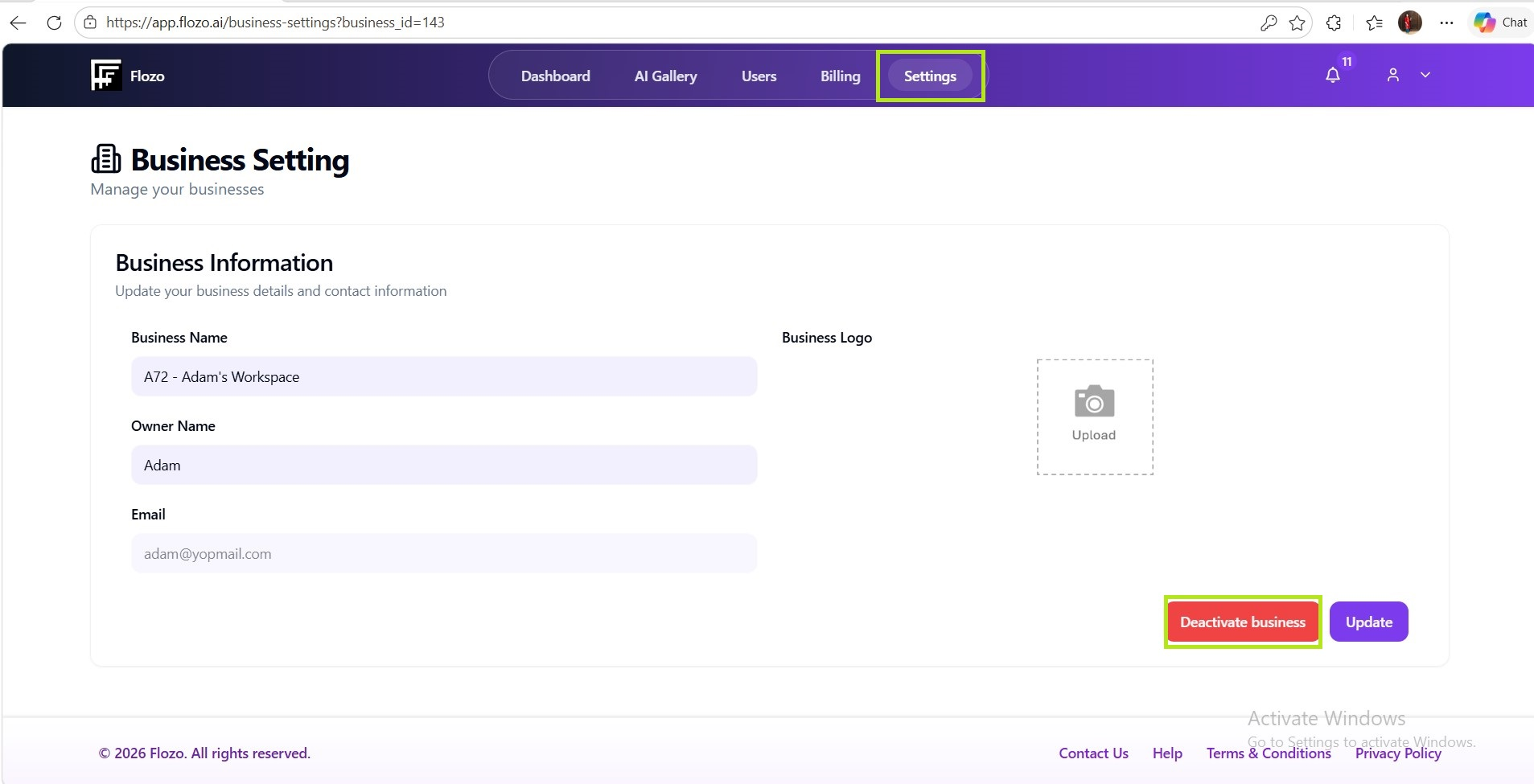
  1. Confirm the action in the confirmation dialog.

Note: The business will be deactivated, and the business owner will not be able to log in until the account is reactivated by the Admin.

Related Articles

  • How to Register a Business on Flozo?
  • How to Access the Business Owner Dashboard?
  • How to Update a Business Name?
  • How to Upload Business Logo?
  • How to Update Business Owner Profile?

Browse Categories

Flozo(19)Chatbuddy(40)QuotePilot(20)Workmate(34)

Was this article helpful? Still need help?

Submit a ticket