
How to Update Business Owner Profile?
Updated May 14, 2026 at 4:25 AM
In the top-right corner, click the Profile icon and select Profile.
In the Profile tab, update the Owner Name and Phone Number.
Click Update Profile.
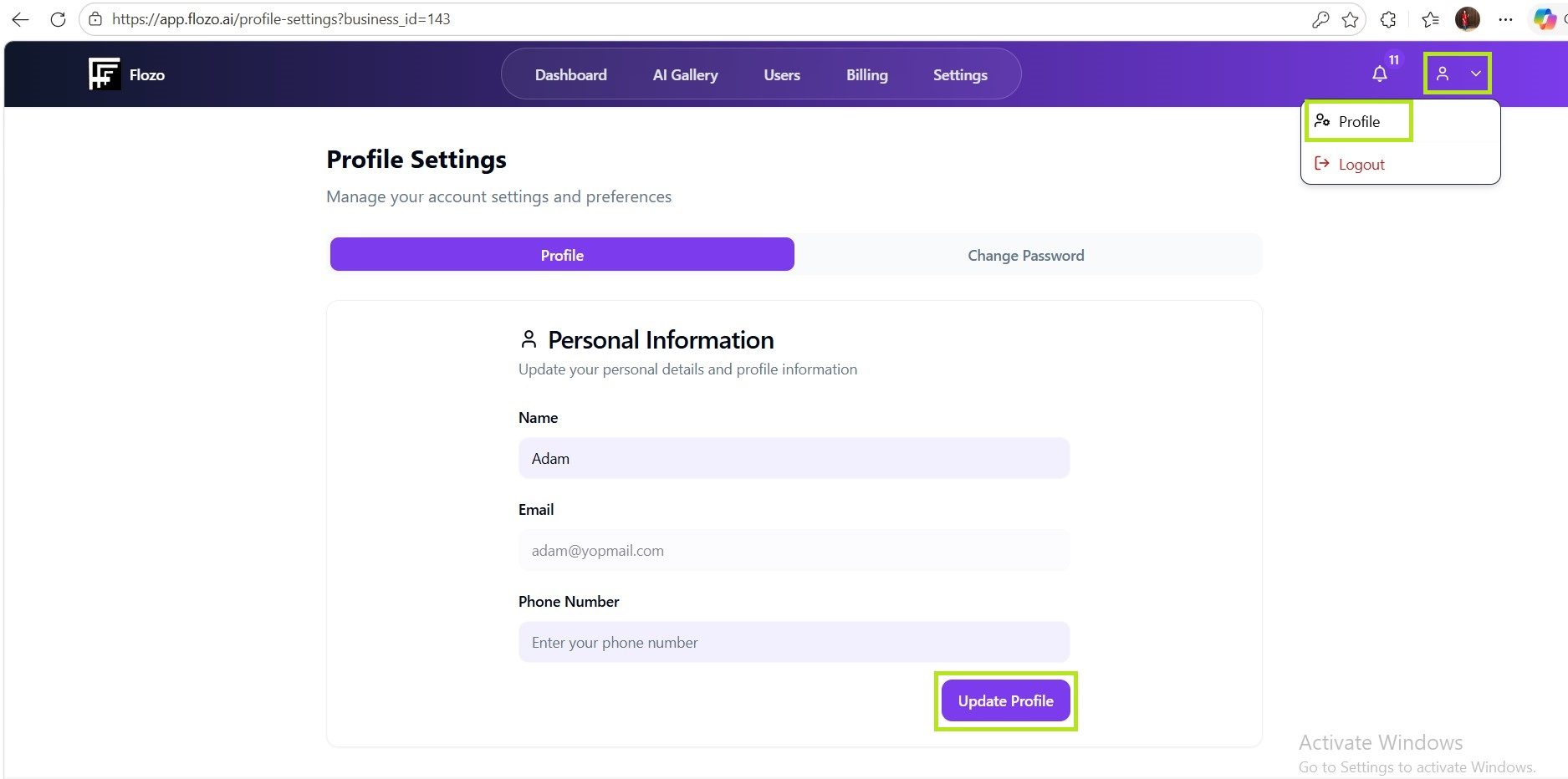
The updated profile information will be saved.