
Flozoflozo support
KnowledgebaseSubmit a ticket
Flozo.ai Sign in
© 2026 Flozo.ai · Support Center
Flozo AISubmit TicketView TicketsPrivacy Policy
QuotePilot
QuotePilot

How to Configure Timezone & Sign off settings?

Updated May 13, 2026 at 11:43 AM
  1. From the main Navigation menu, go to Settings > General.

  2. Navigate to the Timezone & Email Sign-off section at the bottom of the page.
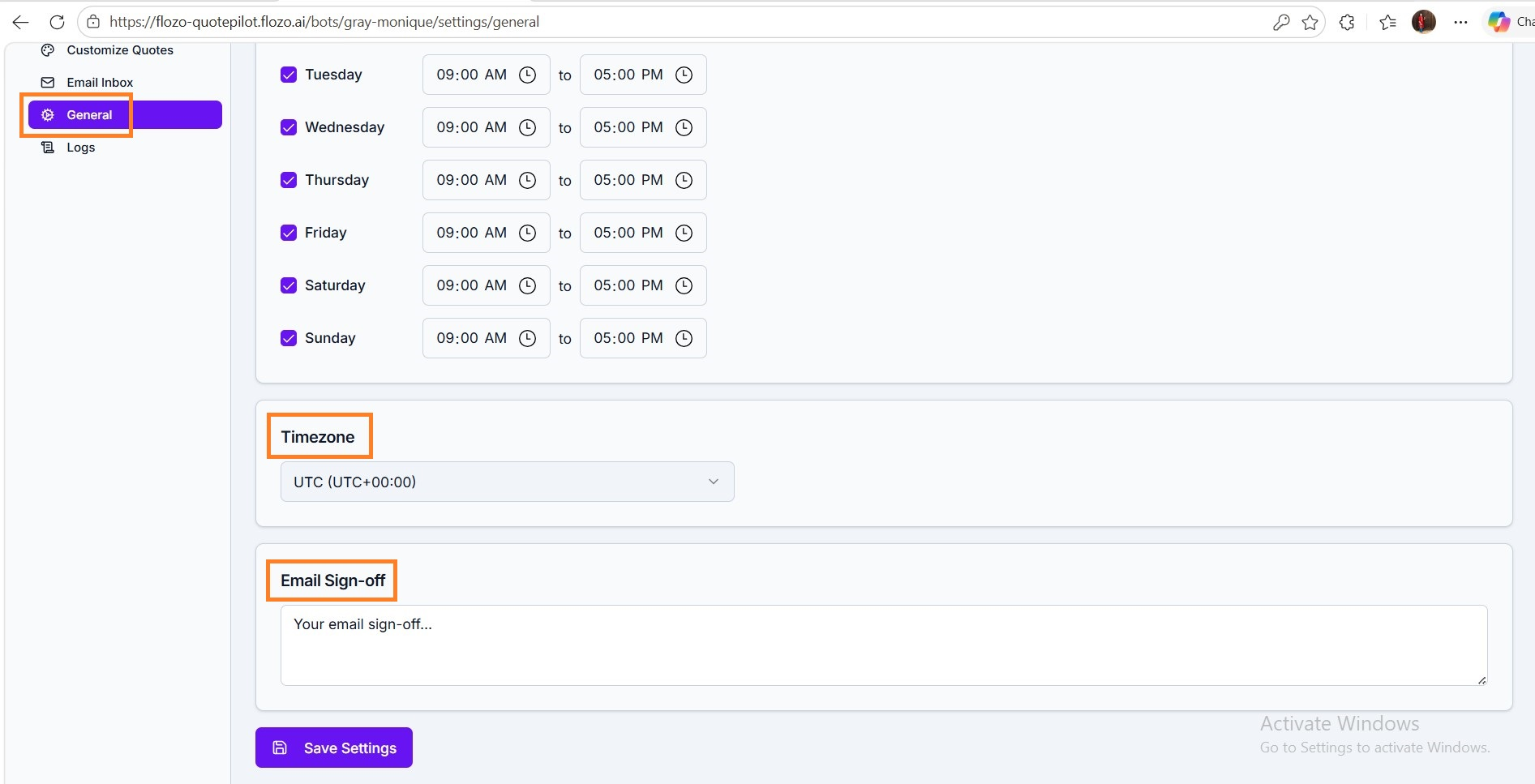
  1. Enter the desired Email Sign-off text.

  2. Select the appropriate business timezone from the dropdown.

  3. Click Save to apply the settings.


Note: The configured sign-off text will be appended to all system-generated emails.

Related Articles

  • How to Configure Automation Settings?
  • How to Access Inbox Settings?
  • How to Configure Other Email Services?
  • How to Configure Business Working Days?
  • How to Configure Twilio Settings?

Browse Categories

Flozo(19)Chatbuddy(40)QuotePilot(20)Workmate(34)

Was this article helpful? Still need help?

Submit a ticket