
How to Configure Twilio Settings?
Updated May 14, 2026 at 5:00 AM
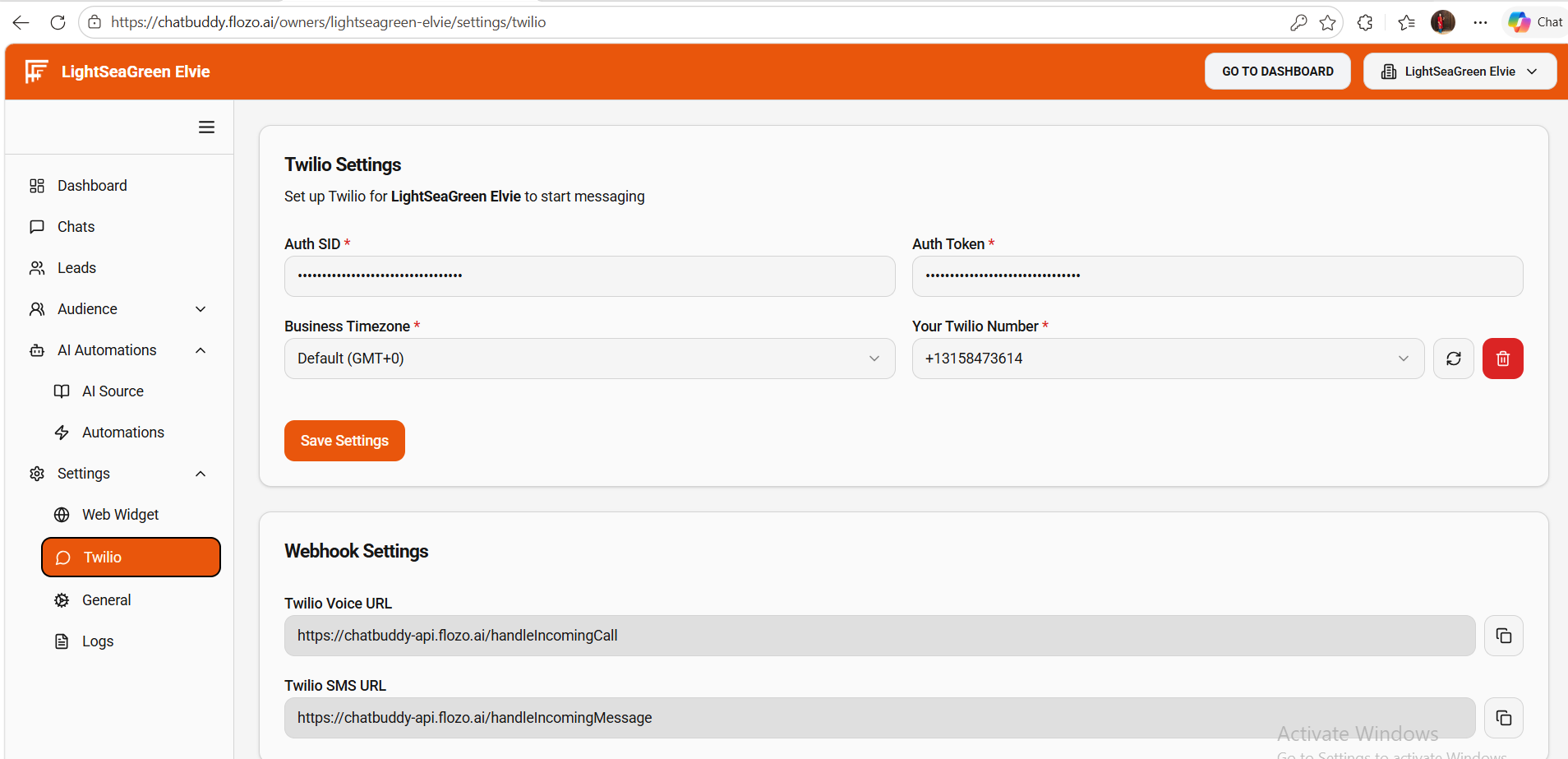
From the main navigation menu, go to Settings > Twilio.
Fill in the required fields:
Timezone: Select your Business timezone.
Twilio Account SID: Type your Twilio Account SID.
Twilio Auth Token: Type your Twilio Auth Token.
Business Number: Choose a configured Twilio number from the dropdown.
Click Save Settings.
After saving:
Your settings are persisted.
The configured number appears on the dashboard and in the Automations Rule → Select Number dropdown.
You can copy the provided Twilio Voice URL and Twilio SMS URL shown on the page and add them as webhooks in your Twilio console.