Flozoflozo support
KnowledgebaseSubmit a ticket
Flozo.ai Sign in
© 2026 Flozo.ai · Support Center
Flozo AISubmit TicketView TicketsPrivacy Policy
QuotePilot
QuotePilot

How to Configure Other Email Services?

Updated May 13, 2026 at 11:40 AM
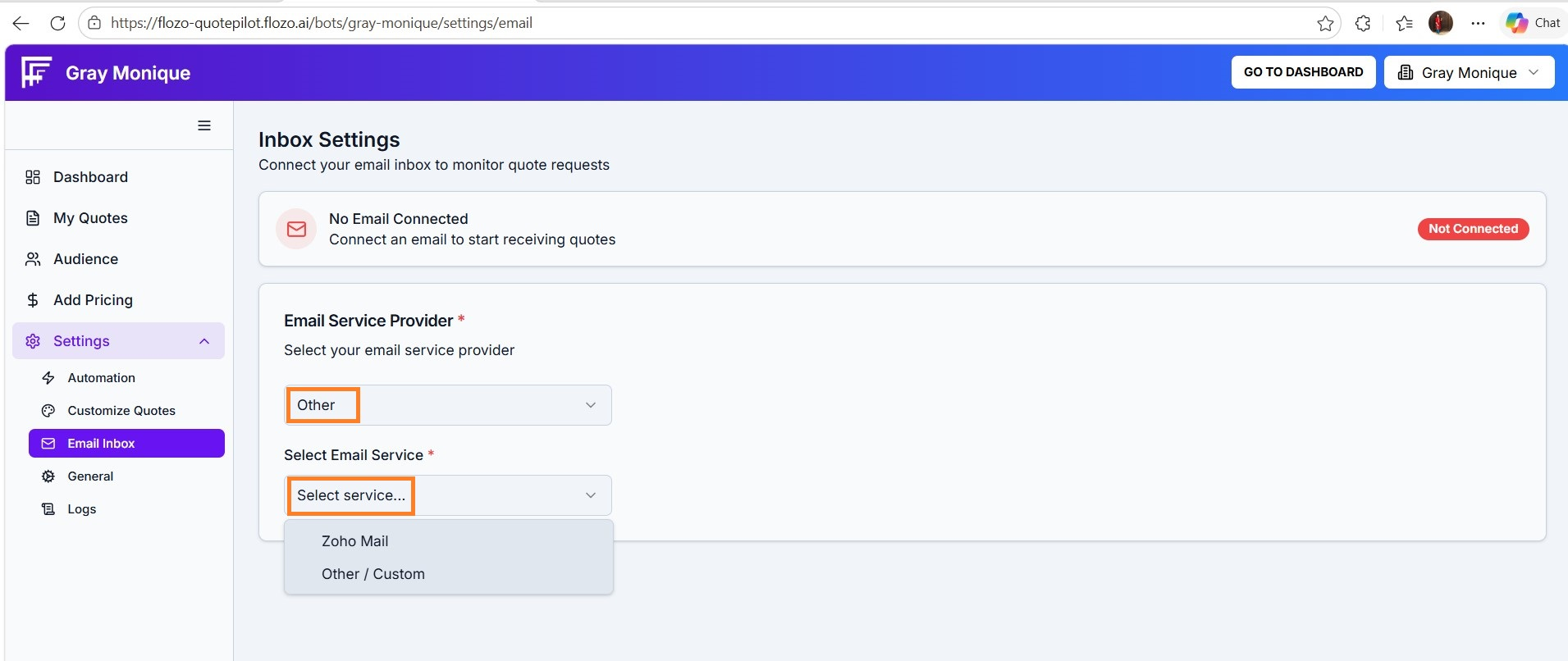
  1. In Inbox Settings, select Other as your email service provider.

  2. Choose a service option:

  • Zoho Mail

  • Other/Custom

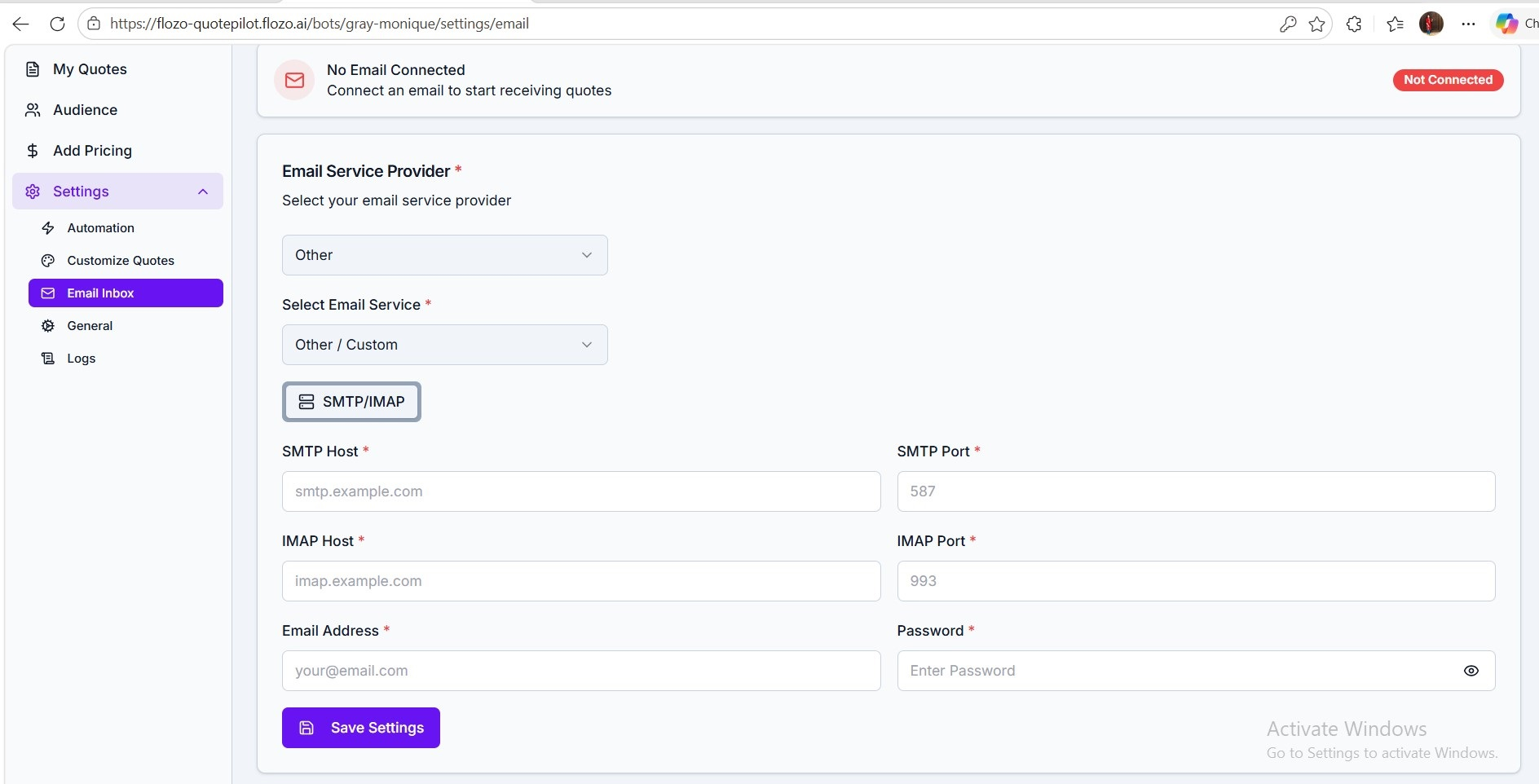
  1. Fill in the Incoming (IMAP) & Outgoing Mail (SMTP) details:

  • SMTP Host

  • SMTP Port

  • IMAP Host

  • IMAP Port

  • Email Address

  • Password

  1. Click Save to confirm the configuration.


Note: All incoming emails and all outgoing communications will be delivered to the configured mailbox respectively.

Related Articles

  • How to Configure Automation Settings?
  • How to Remove a Connected Email Account?
  • How to Configure Business Working Days?
  • How to Configure Timezone & Sign off settings?
  • How to View Email Logs?

Browse Categories

Flozo(19)Chatbuddy(40)QuotePilot(20)Workmate(34)

Was this article helpful? Still need help?

Submit a ticket