
How to Add Contacts to a List?
Updated May 13, 2026 at 9:00 AM
From the main navigation menu, select Audience > Contacts.
All contacts are listed here, including those added manually and via webchat.
Select one or more contacts using the checkboxes.
Click the Assign List icon at the top.
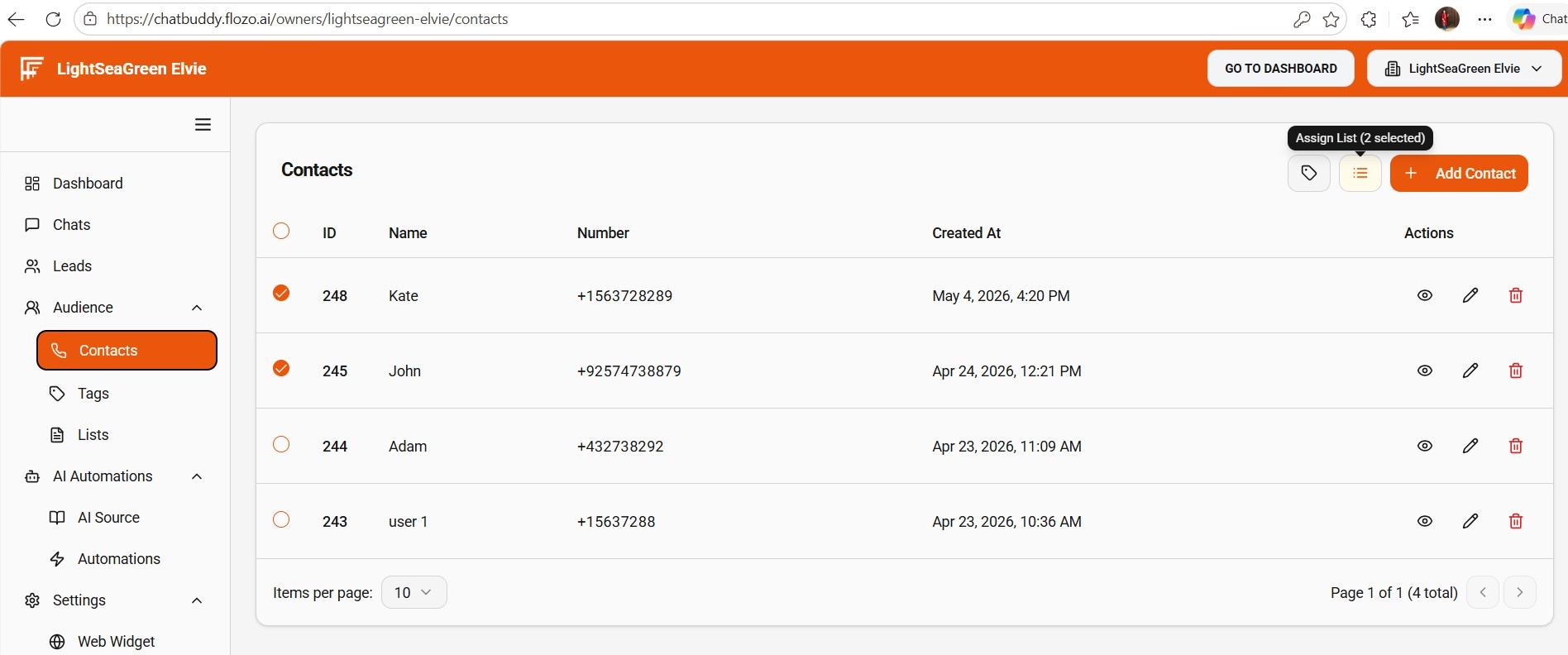
Choose the list you want to assign from the dropdown.
Click Submit.
The selected list will be assigned to the chosen contact(s).