Flozoflozo support
KnowledgebaseSubmit a ticket
Flozo.ai Sign in
© 2026 Flozo.ai · Support Center
Flozo AISubmit TicketView TicketsPrivacy Policy
Chatbuddy
Chatbuddy

How to Try the AI Agent feature?

Updated May 13, 2026 at 11:57 AM
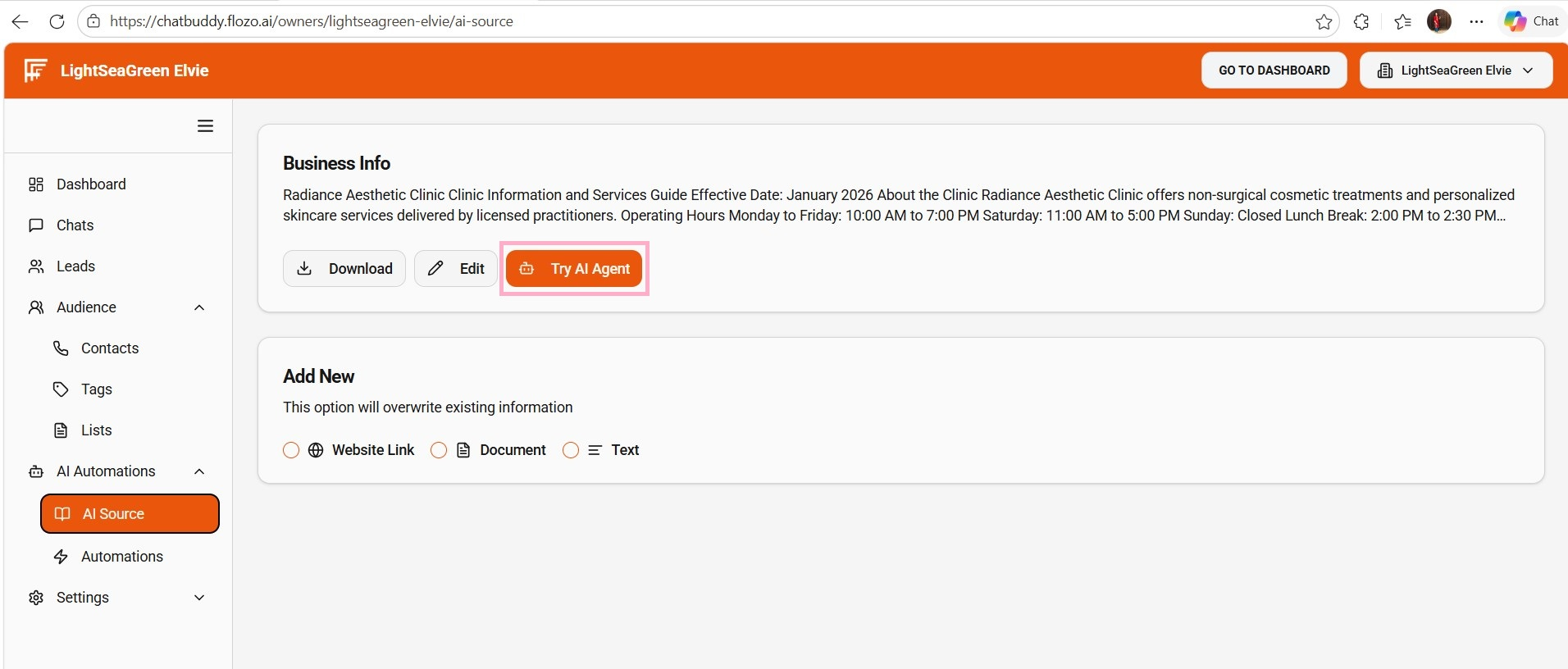
  1. From the main navigation menu, go to AI Automations > AI Source.

  2. Click Try AI Agent.

  3. The AI Business Assistant window will open.

  4. Start chatting by typing your questions.

  5. The agent will respond based on the business information you have configured.

Related Articles

  • How to Spin a Tool to Create an AI Agent?
  • How to View the Created AI Agent?
  • How to Delete an Existing AI Agent?
  • How to Give Agent Access to a User?
  • How to Access the QuotePilot's Agent Dashboard?

Browse Categories

Flozo(19)Chatbuddy(40)QuotePilot(20)Workmate(34)

Was this article helpful? Still need help?

Submit a ticket