
How to Configure Widget’s appearance & behavior?
Updated May 14, 2026 at 4:40 AM
From the main navigation menu, go to Settings > AI Engine.
Open the Widget Settings tab.
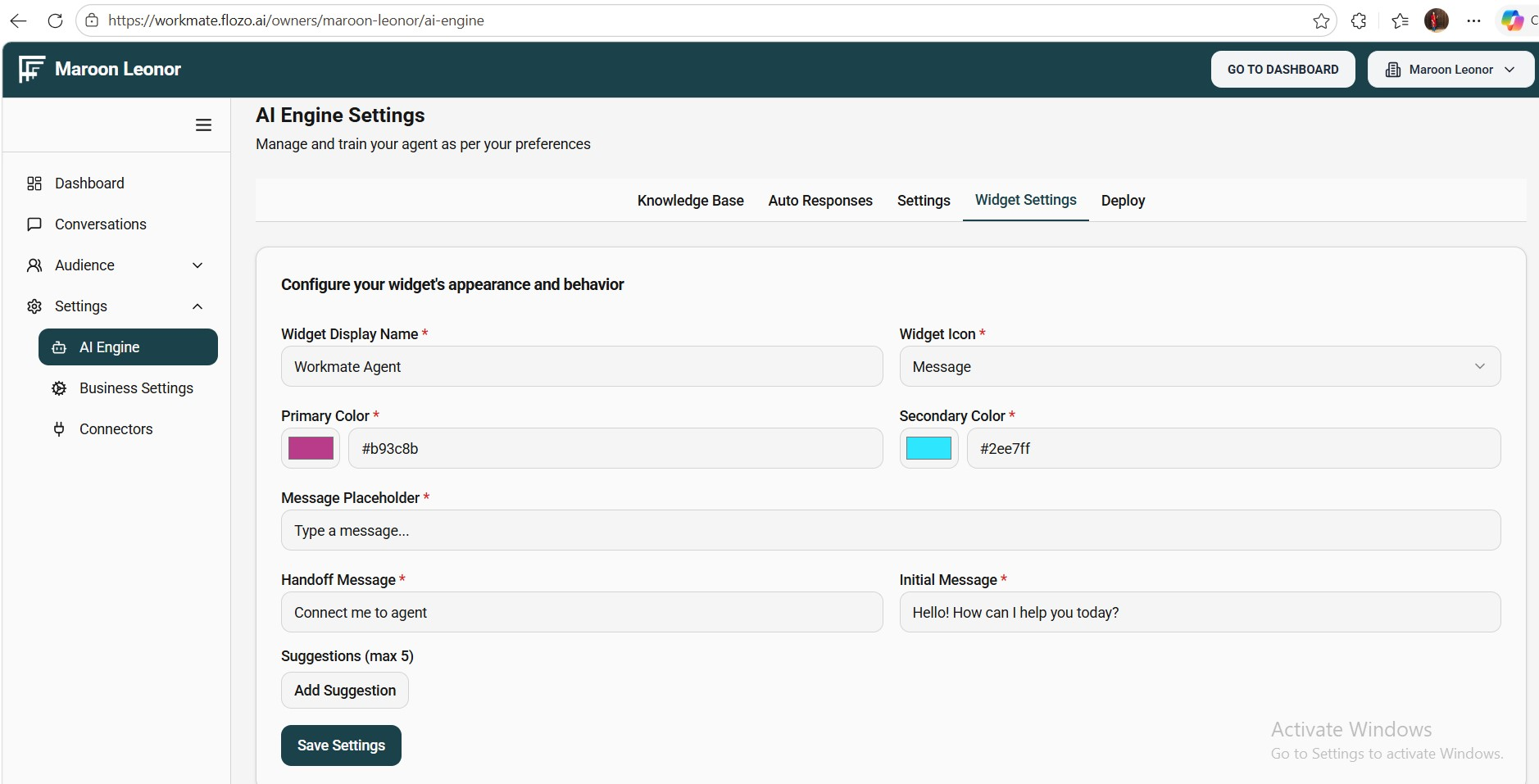
Review and update the widget configuration fields, such as:
Widget Display Name
Theme Color
Font Color
Widget Icon
Handoff Message (for agent takeover)
Initial Message
Message Placeholder
Suggested Messages
Click Save Settings.
Note: The updated settings will be applied to the web chat widget when User opens it.